Liveness check with Face Verification
Detect a live person from a selfie and match their face against the MyKad photo in a single call. Combines anti-spoofing liveness detection with face verification.
When to Use
▾
Use this endpoint when:
- Onboarding a user who has already submitted their MyKad
- You need to confirm a real person (not a photo) matches the IC holder
- KYC flows that require both liveness and face matching in one step
Prerequisite: Acquire requestID from the MyKad Recognition response. Obtain the Liveness JS Web SDK from Revenue Monster.
How to Use
▾
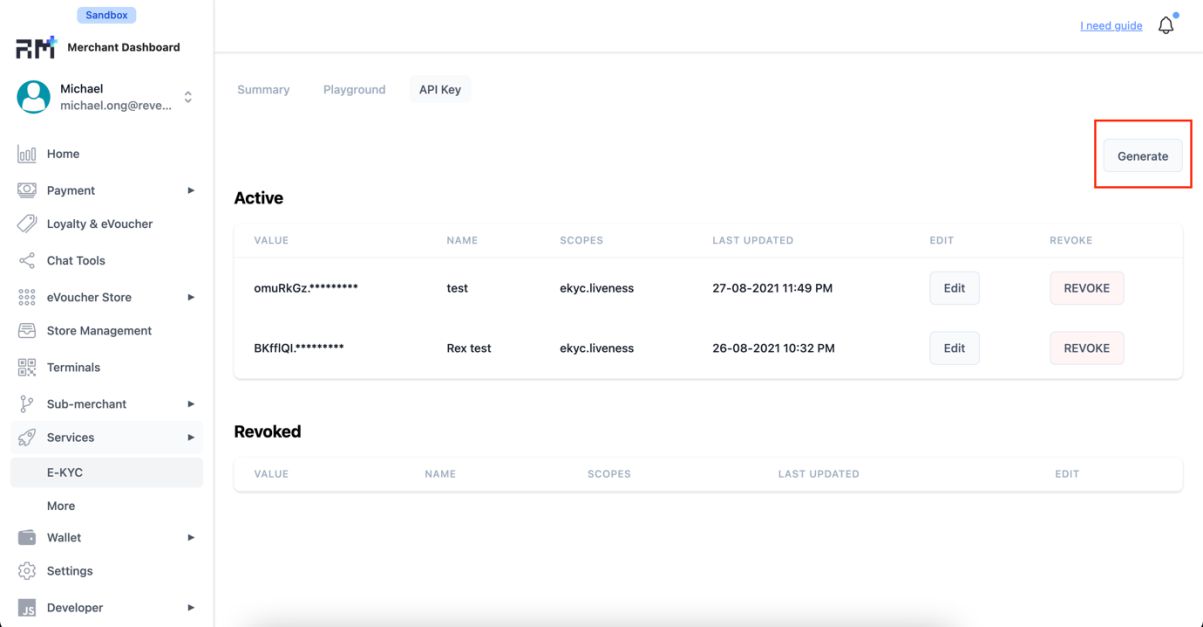
/v3/serviceStep 1. Navigate to API Key Page
▾
Generate an API Key in the API Key page.
Step 2. Generate API Key
▾
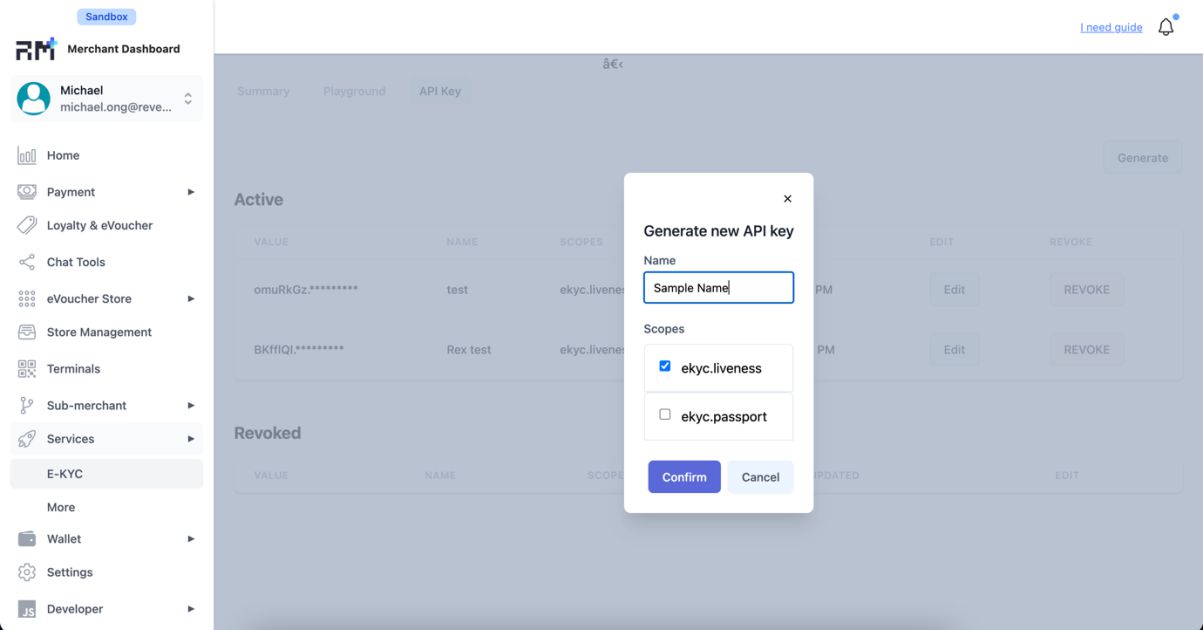
Enter a name and select ekyc.liveness as a scope. Click confirm. An API Key should be generated, store it in your application environment.
Step 3.Download the SDK.
▾
Acquire the Liveness Web SDK from Revenue Monster.
Step 4. SDK Integration (Basic example)
▾
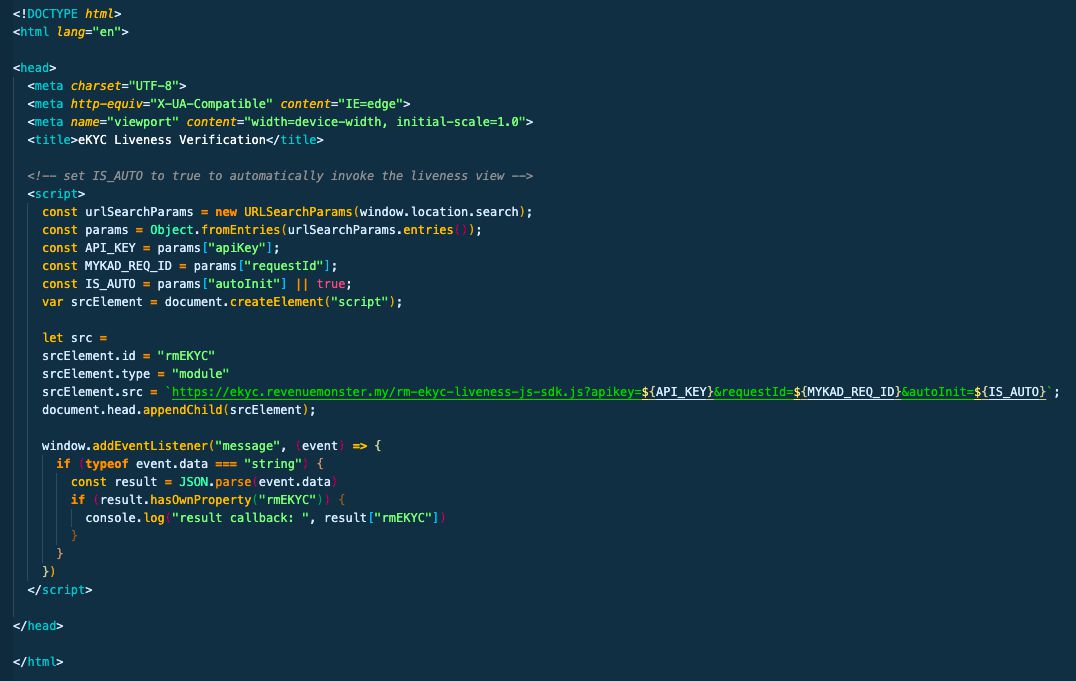
Embedding the SDK into your web project is simple. Only a few parameters are required, they are as follows
apiKey– API Key generated from step 2requestId– Can be obtained from the MyKad Recognition response payload c. autoInit – Optional boolean value. Specifying it to false allows you to have a customization splash screen. Default to true.
A simple HTML example below should be sufficient to get the liveness app started.
Request Parameters
▾
Request ID returned by the [MyKad Recognition](./mykad-recognition) call.
Example: "62201d48a694817dede84b35"
Live face image as Base64-encoded string.
Example: "<base64_image>"
Response Parameters
▾
Internal record ID.
Example: "60f79b737b03abf23ad65206"
eKYC session ID.
Example: "62201e0b239b18052126e28b"
Action required — `NONE_REQUIRED`, `ATTENTION_REQUIRED`, `INCONCLUSIVE`, `RESOLVED`.
Example: "NONE_REQUIRED"
Verification status — `SUCCESS`, `FACE_ENGINE_CONNECTION_ERROR`, `INCOMPLETE`, `FACE_ENGINE_TIMEOUT`.
Example: "SUCCESS"
`true` if the live face matches the MyKad photo.
Example: true
Similarity confidence score (0-100).
Example: 99
Last update timestamp.
Example: "2021-07-21T15:07:43.266243"