Hosted Payment Checkout
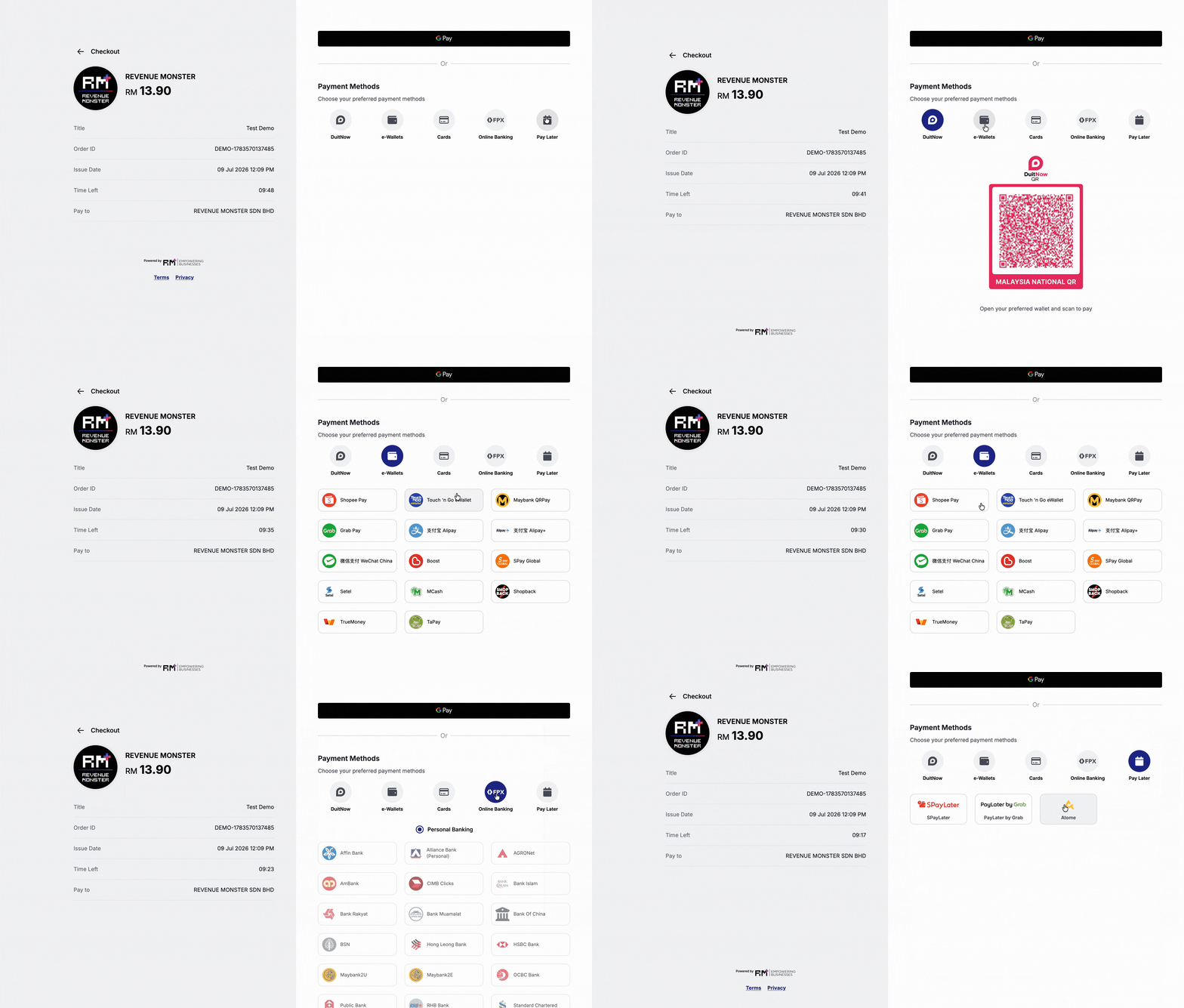
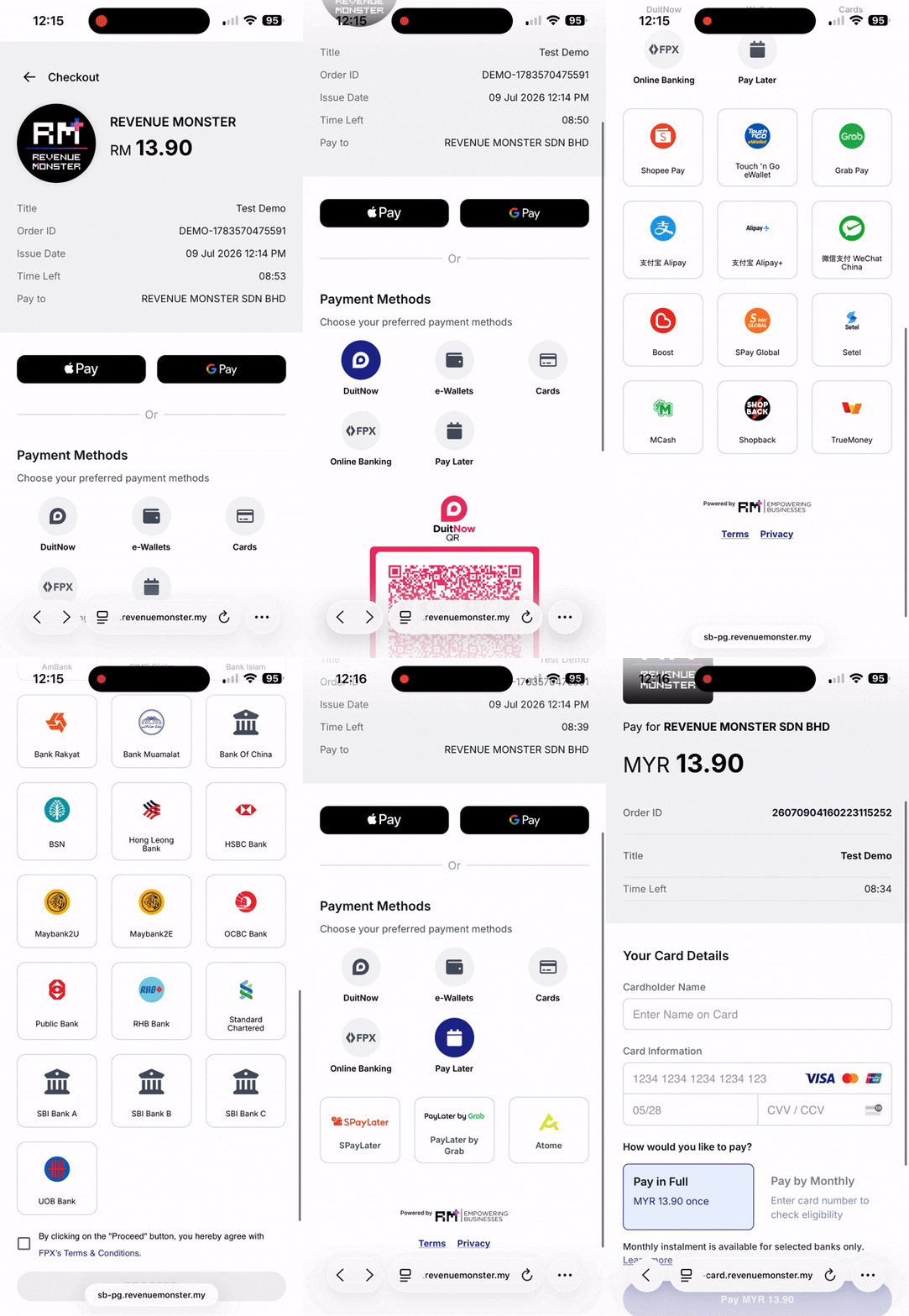
Creates a unified payment checkout page for both web and mobile. The customer is redirected to the RM-hosted checkout page to complete payment.
When to Use
▾
Use this endpoint when:
- Building a web or mobile checkout that supports multiple payment methods
- You want RM to host the payment UI (no need to build your own)
- Integrating tokenization or saved cards
- This creates a unified payment checkout page for both web and mobile.
- The data object must be sorted alphabetically, including nested objects.
How to Use
▾
/v3/payment/online- Send order details → receive
checkoutIdand checkouturl - Redirect customer to the
url - After payment, customer is redirected to your
redirectUrlwithstatusandorderId - Your
notifyUrlreceives a server-to-server callback on success
Example of Web Payment
▾
Example of Mobile Payment
▾
Request Parameters
▾
Revenue Monster Store ID
URL to redirect the customer back to after payment.
Server URL to receive payment status callbacks.
Always use "v4".
Checkout session type.
Payment methods to enable. Each item is a payment method identifier.
Example: ["WECHATPAY", "ALIPAY", "FPX"]
Order details
Order ID
Order title
Order currency type (currently supported MYR only)
Order amount
Order detail
Order additional data
Customer details
Required when tokenization is enabled.
Customer email address.
Customer country code.
Customer phone number.
Response Parameters
▾
Response item
Checkout session ID
Checkout session URL to redirect the customer to
"SUCCESS" if the request succeeded, otherwise an error code.
Error details
Error code if the request failed.
Error message.
Debug message (sandbox only).
Build the Checkout URL
▾
Use the checkoutId from the response to send the customer to the payment page. You can use this URL directly, or wrap it inside a deep link or webview for a custom experience.
https://sb-pg.revenuemonster.my/v4/checkout?checkoutId=1548316308361173347
When the customer completes payment, RM redirects to your redirectUrl (GET) and, on success, also POSTs to your notifyUrl server-side. See Redirect Response and Notify Response for the payload details.