Opencart
Enable Revenue Monster payment gateway as a checkout option in your Opencart store.
When to Use
▾
Use this guide when:
- Adding RM as a payment method on an Opencart site
- Migrating from another gateway to RM
How to Use
▾
Step 1 : Install RM in Opencart
▾
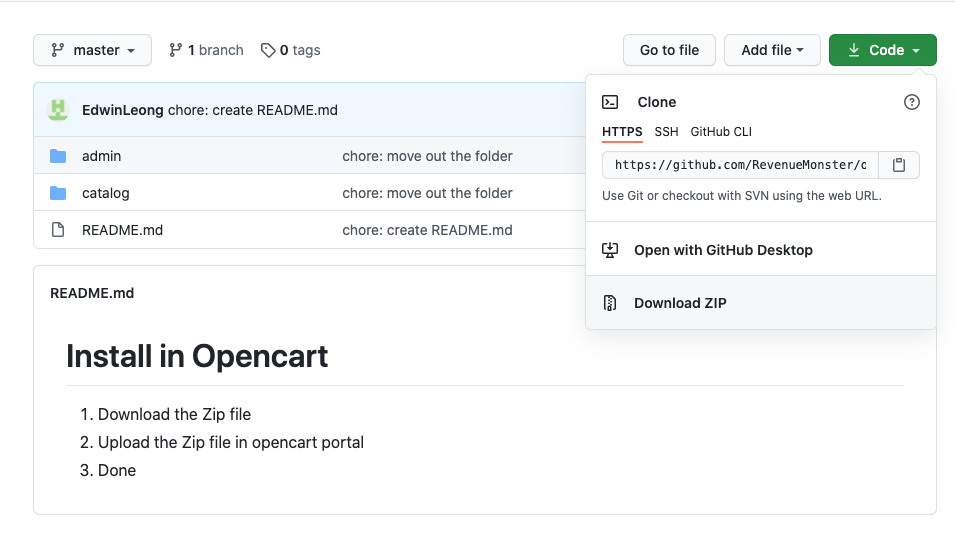
Go to this link Install RM payment gateway > Code > Download ZIP
Step 2 : Plugin RM in Opencart
▾
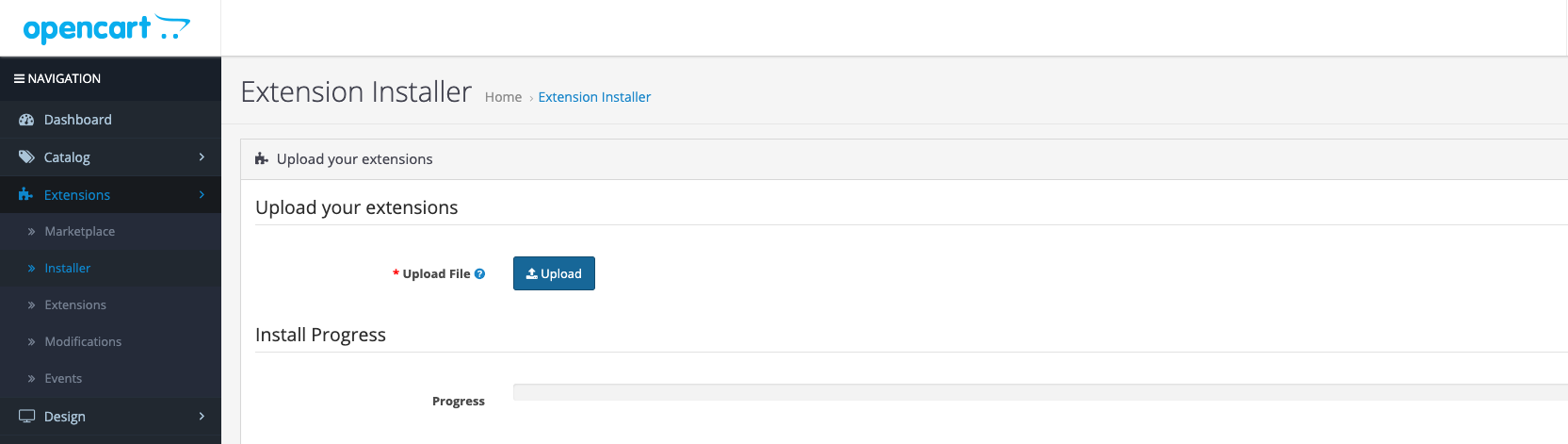
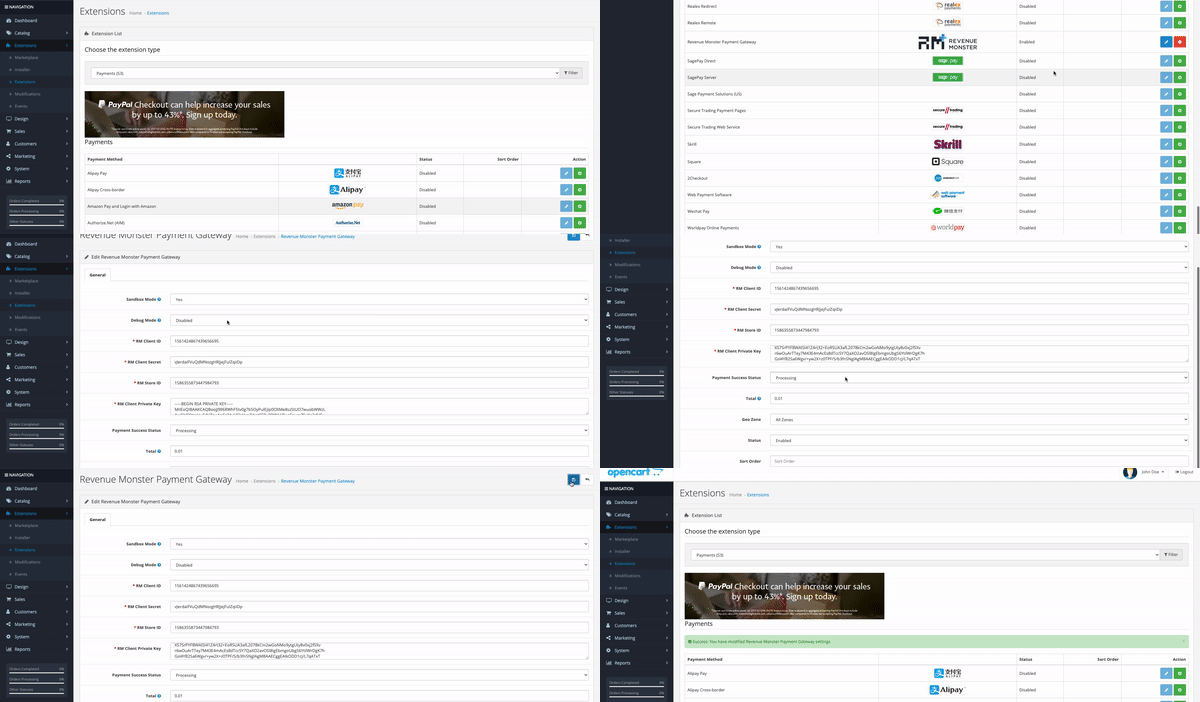
Go to Extensions > Installer > Upload File > Upload the Zip file
Step 3 : Enable RM plug-in
▾
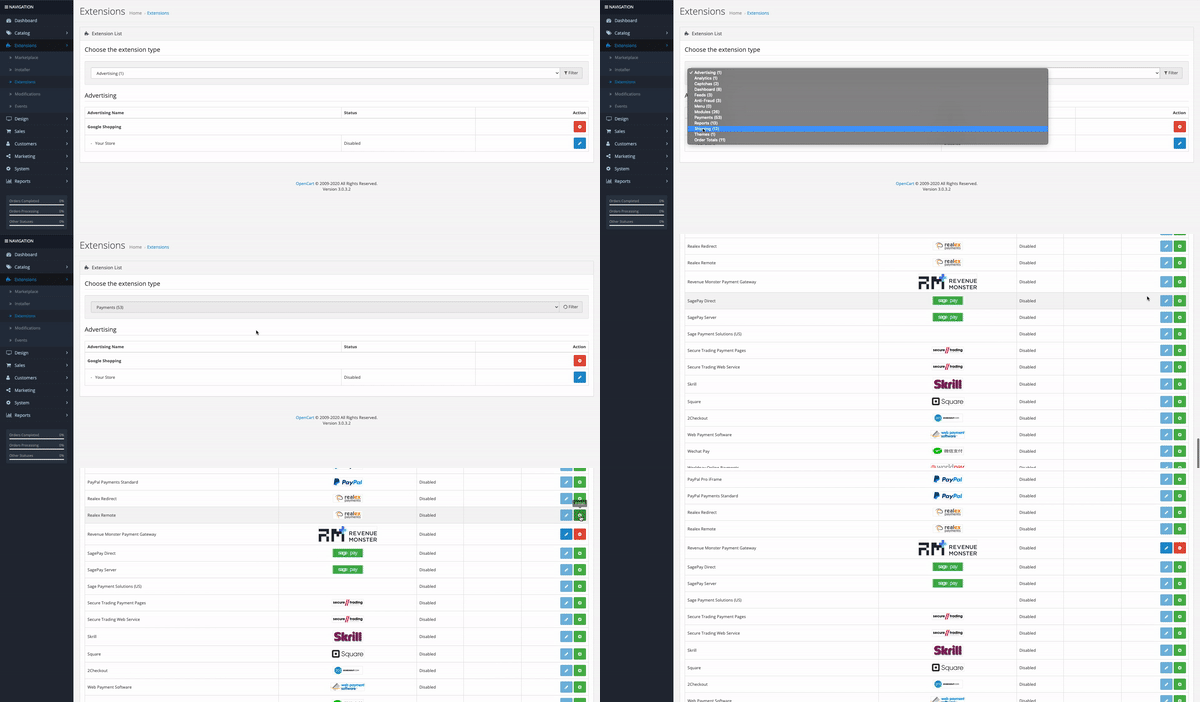
Go to Extensions > Extensions > Choose payments > Install Revenue Monster Payment Gateway
Step 4 : Setup Payment Gateway
▾
| Title | Required | Example |
|---|---|---|
| Sandbox Mode | Optional | Yes |
| Debug Model | Optional | Disabled |
| RM Client ID | Yes | Get Client ID |
| RM Client Secret | Yes | Get Client Secret |
| RM Store ID | Yes | RM Merchant portal > Store Management > Store ID |
| RM Client Private Key | Yes | Get Client Private Key |
| Payment Success Status | Optional | Processing |
| Total | Yes | 0.10 |
| Geo Zone | Yes | All Zones |
| Status | Yes | Enabled |
After done all the flow click Save
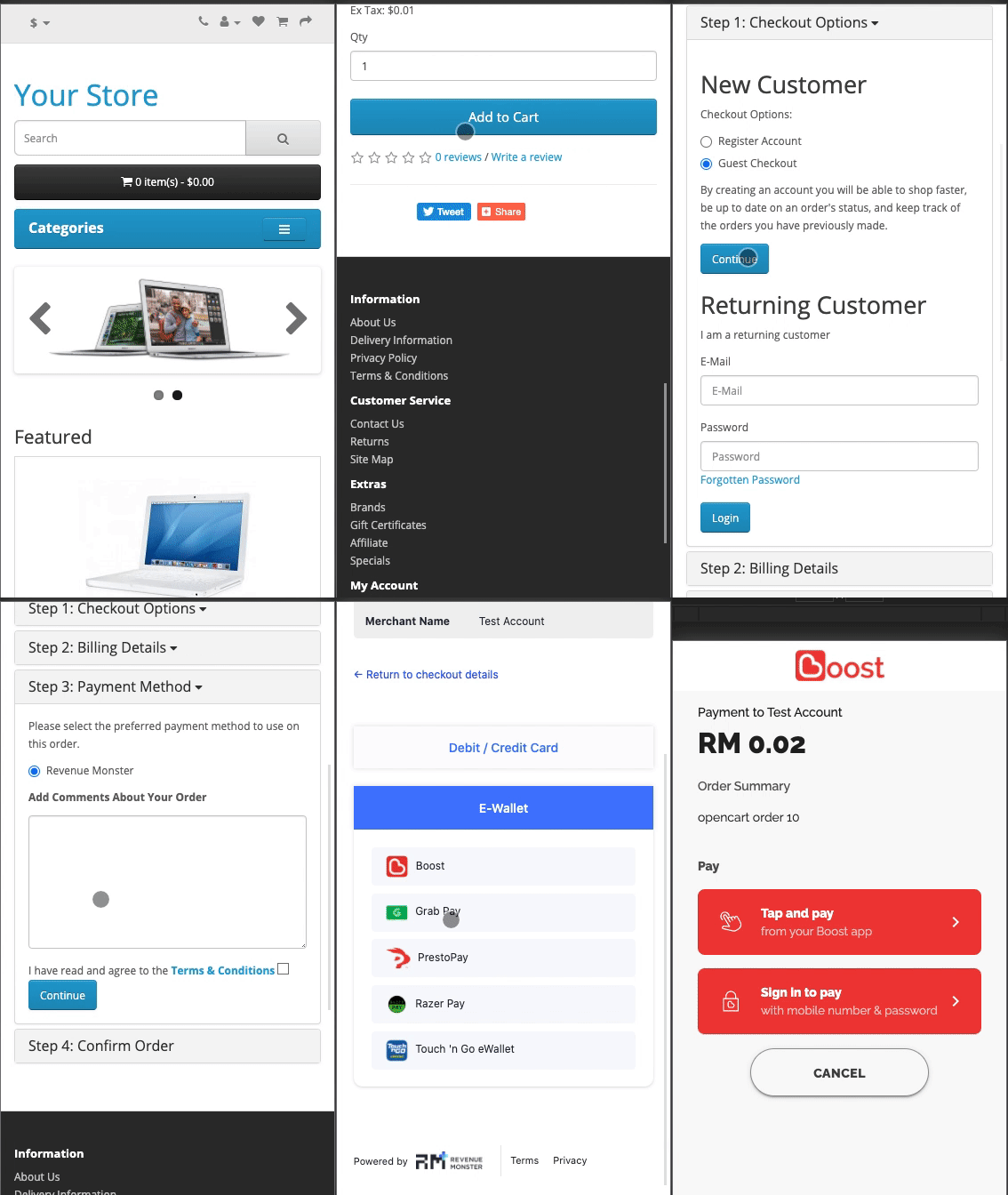
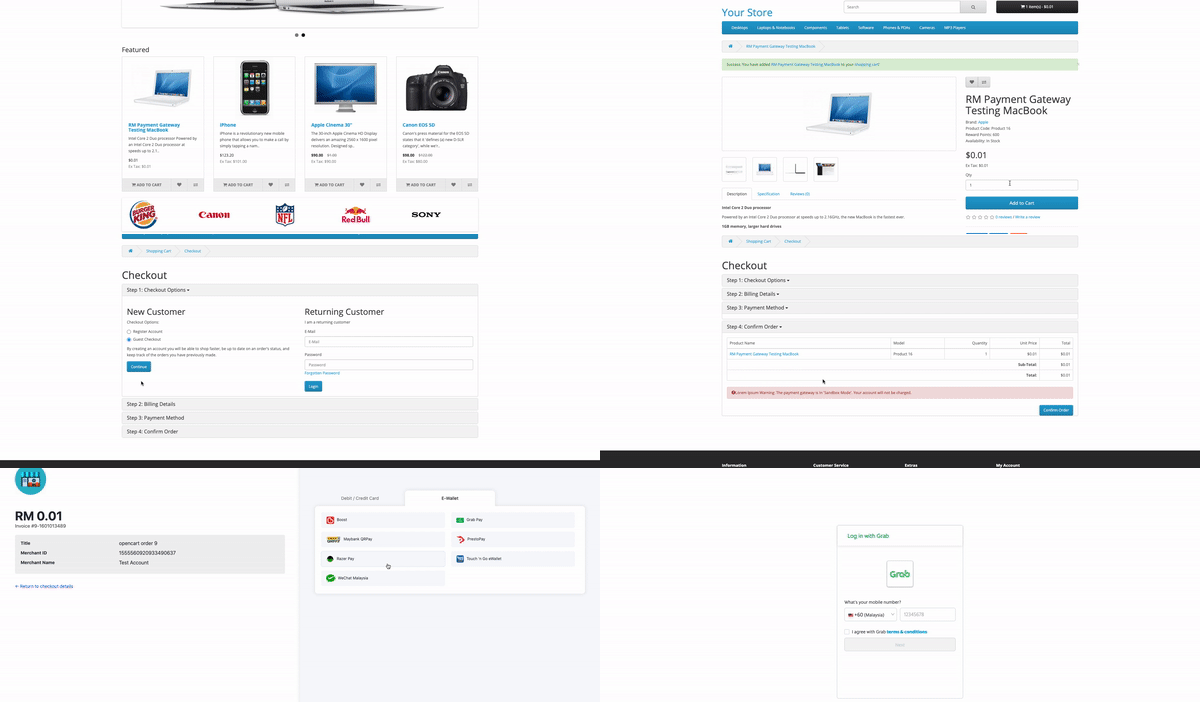
Example of Payment
▾
Web view
Mobile view