WooCommerce
Enable Revenue Monster payment gateway as a checkout option in your WooCommerce store.
When to Use
▾
Use this guide when:
- Adding RM as a payment method on a WooCommerce site
- Migrating from another gateway to RM
How to Use
▾
Step 1 : Install RM in WooCommerce
▾
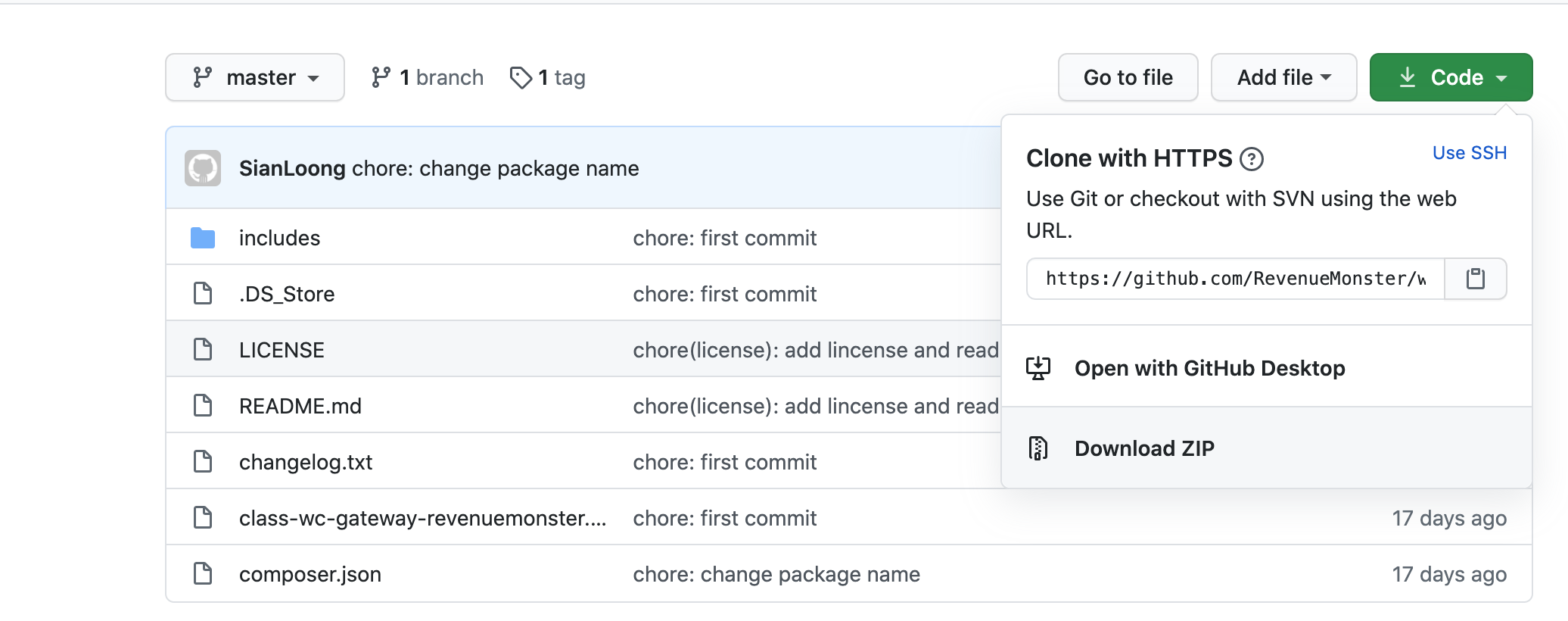
Go to this link Install RM payment gateway > Code > Download ZIP
Step 2 : Plugin RM in WooCommerce
▾
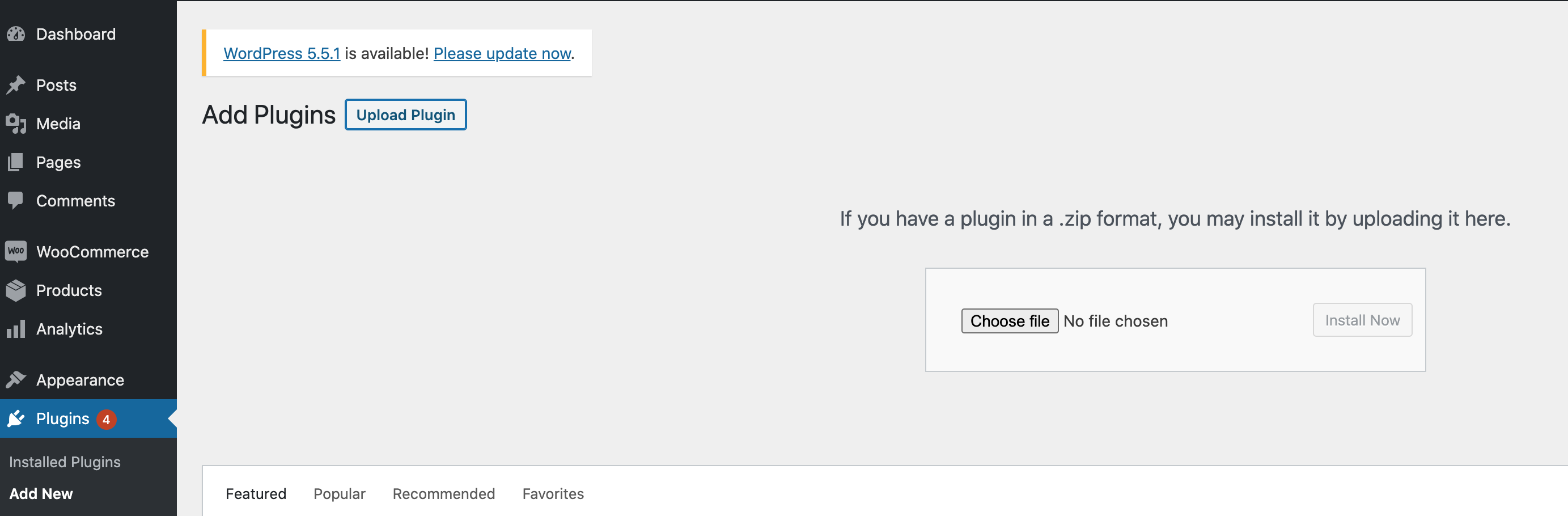
Go to Plugins > Add New > Upload Plugin > Choose file > Upload the Zip file
Step 3 : Enable RM plug-in
▾
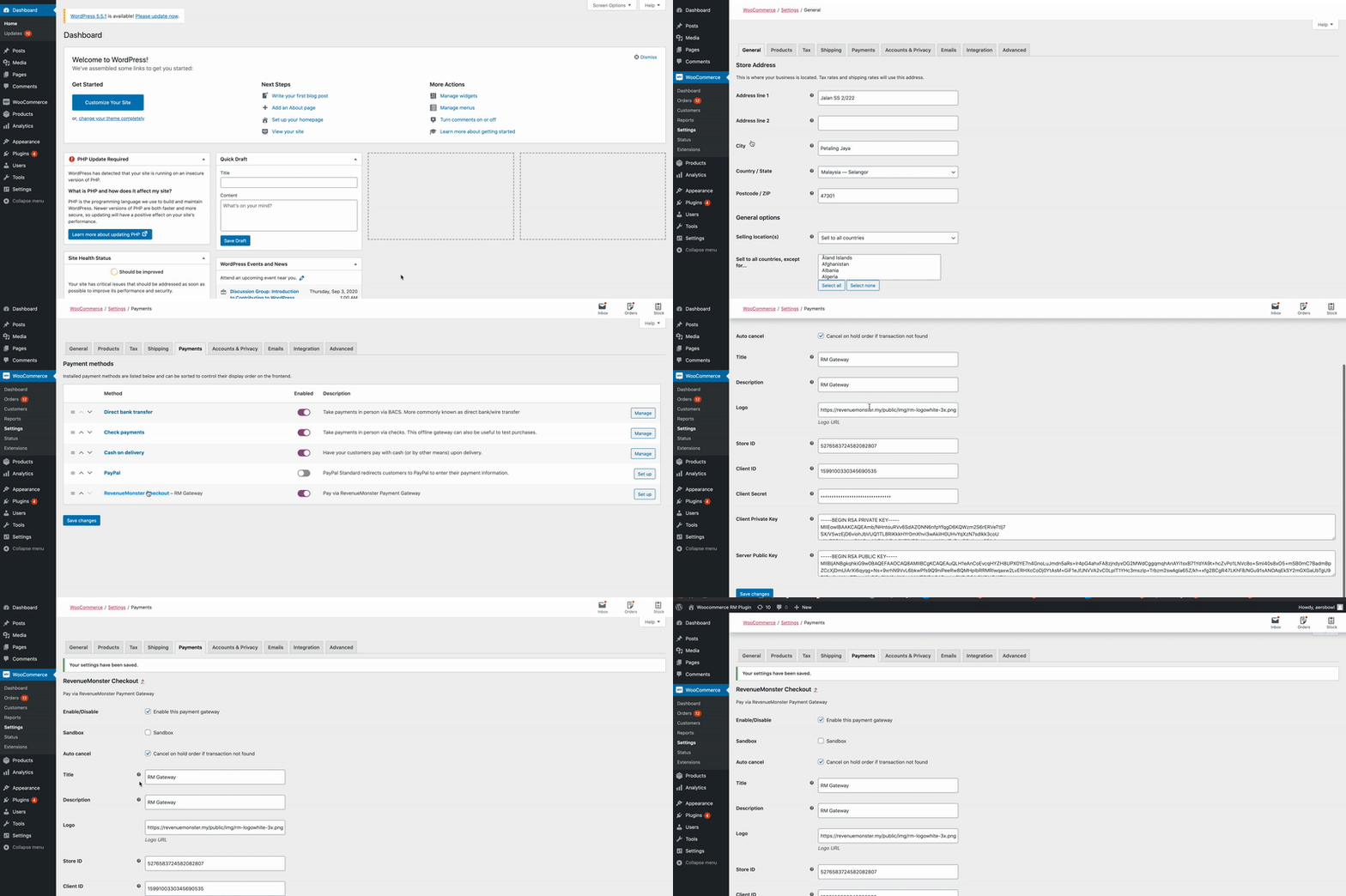
Go to WooCommerce > Settings > Payments > (Enable) RevenueMonster Checkout
Step 4 : Setup Payment Gateway
▾
| Title | Example |
|---|---|
| Title | RM Gateway |
| Description | RM Gateway |
| Logo | Revenue Monster Logo |
| Store ID | RM Merchant portal > Store Management > Store ID |
| Client ID | Get Client ID |
| Client Secret | Get Client Secret |
| Client Private Key | Get Client Private Key |
| Server Public Key | Get Server Public Key |
After done all the flow click Save Changes
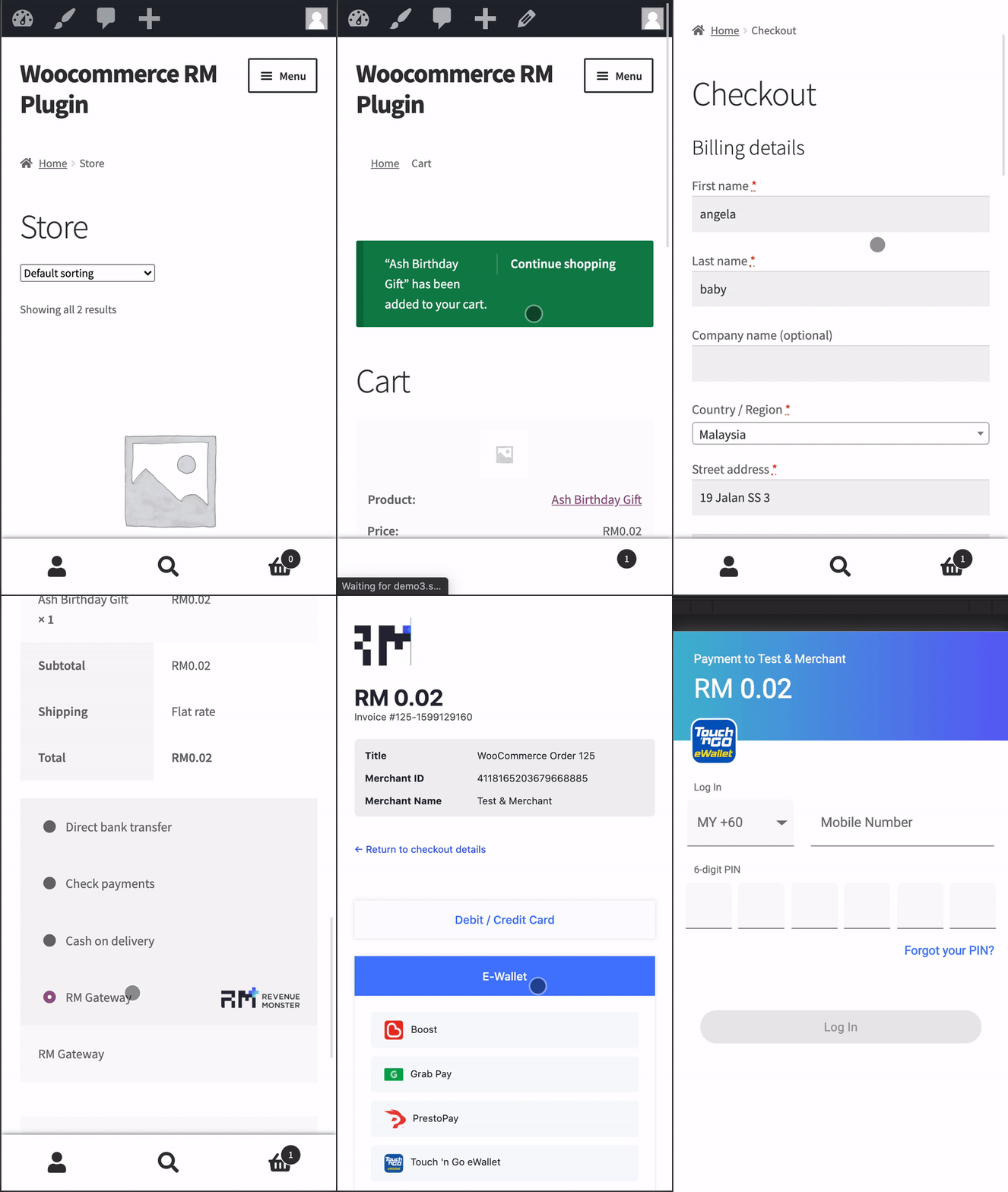
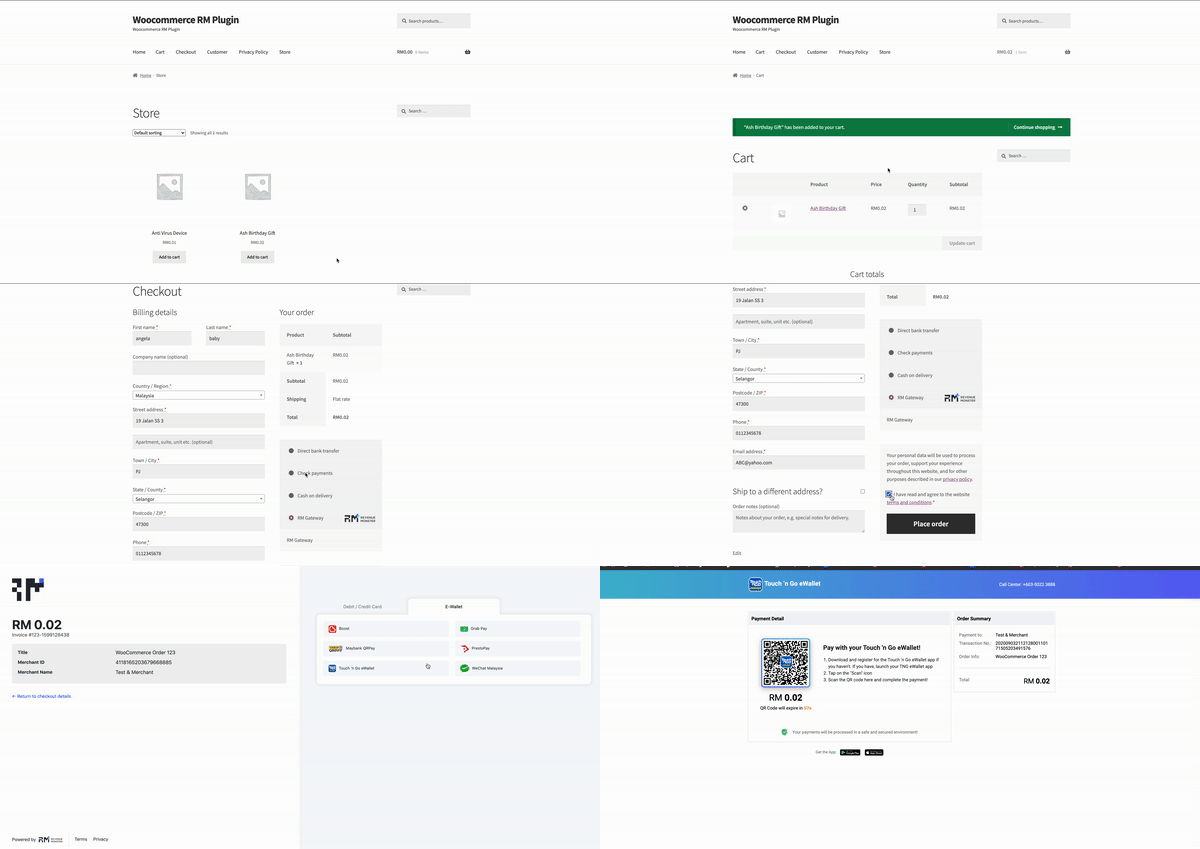
Example of Payment
▾
Web view
Mobile view